Study 001 · Coordinator-reviewed case study
We tested Human Standards guidance on nine AI-built clinic apps.
We generated nine clinic interfaces with gpt-5.6-sol under three guidance conditions.
Directed MCP access produced the strongest automated medians; the coordinator still found
obvious keyboard, focus, validation and state-transition problems in every condition.
What the agent made
The same brief produced very different products
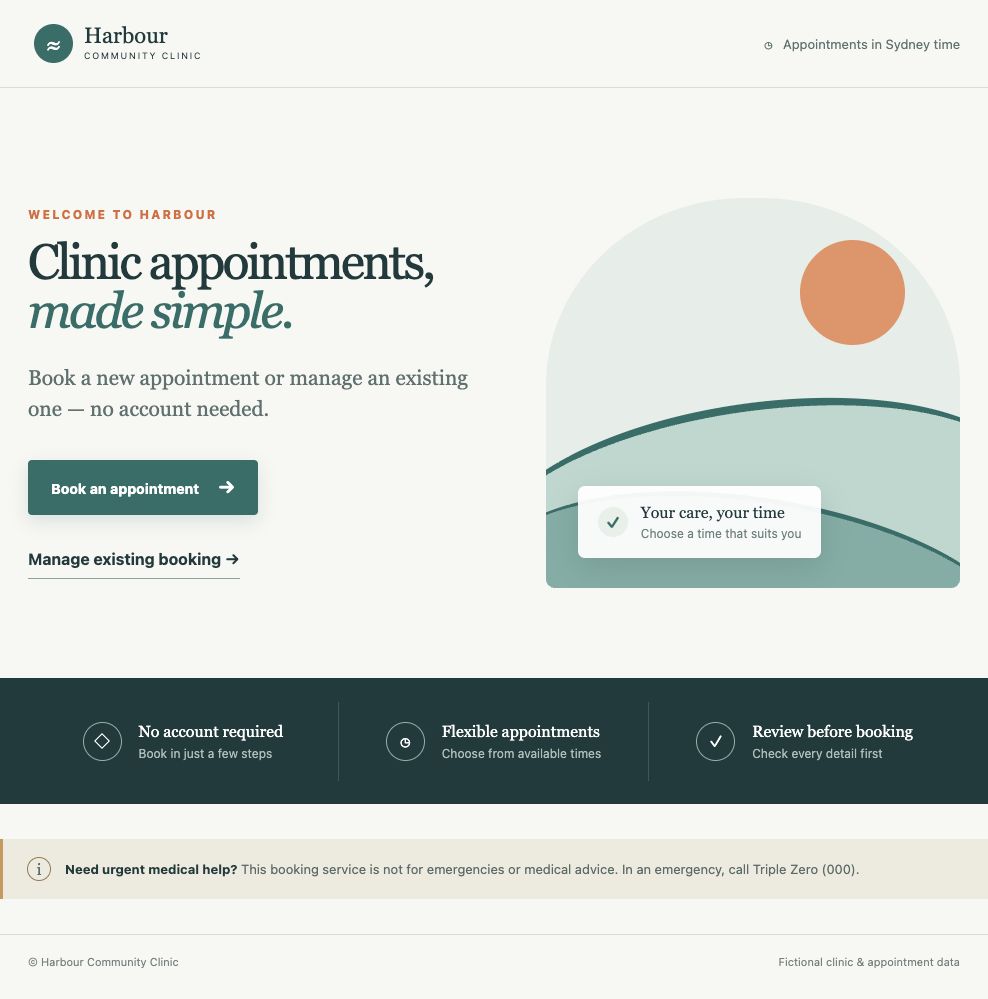
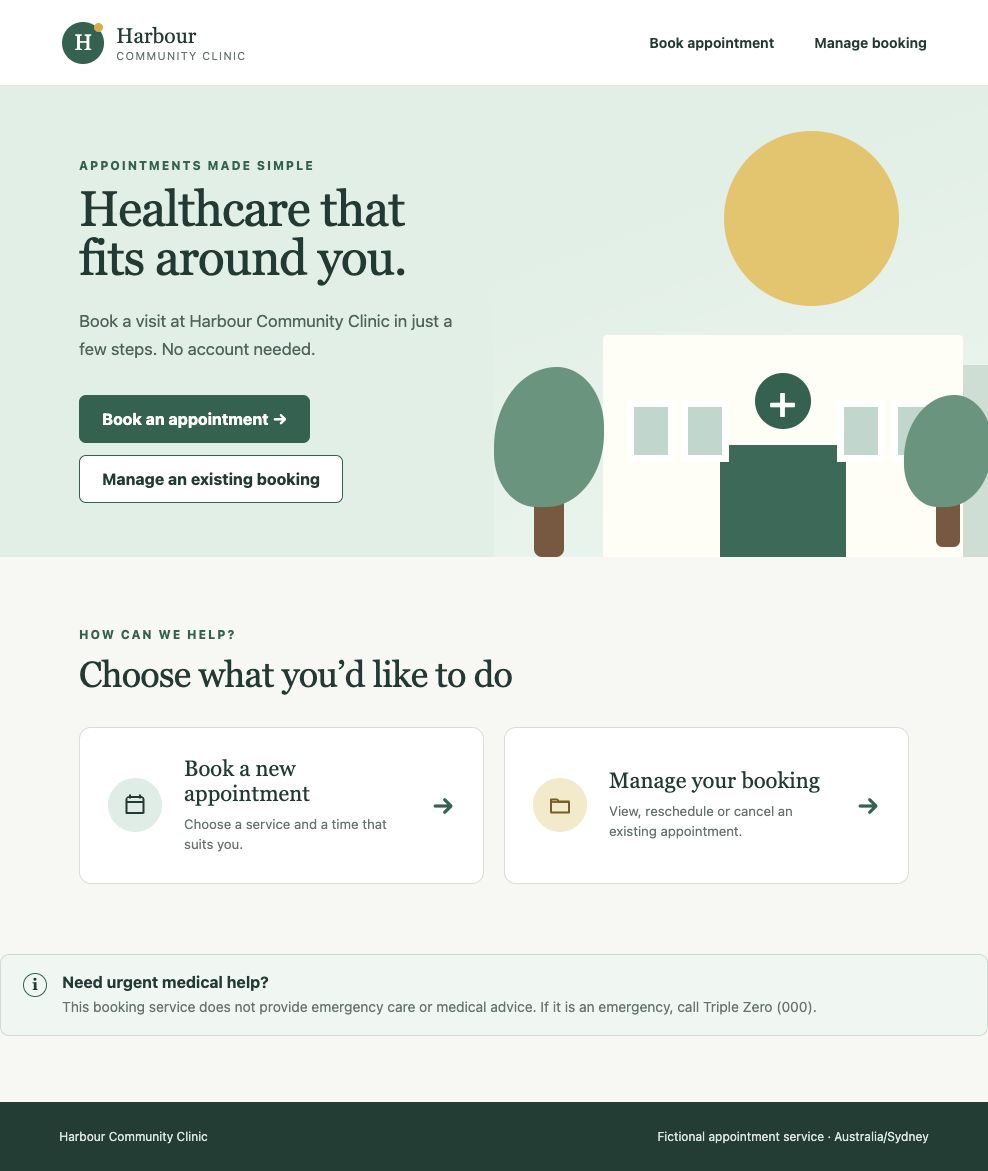
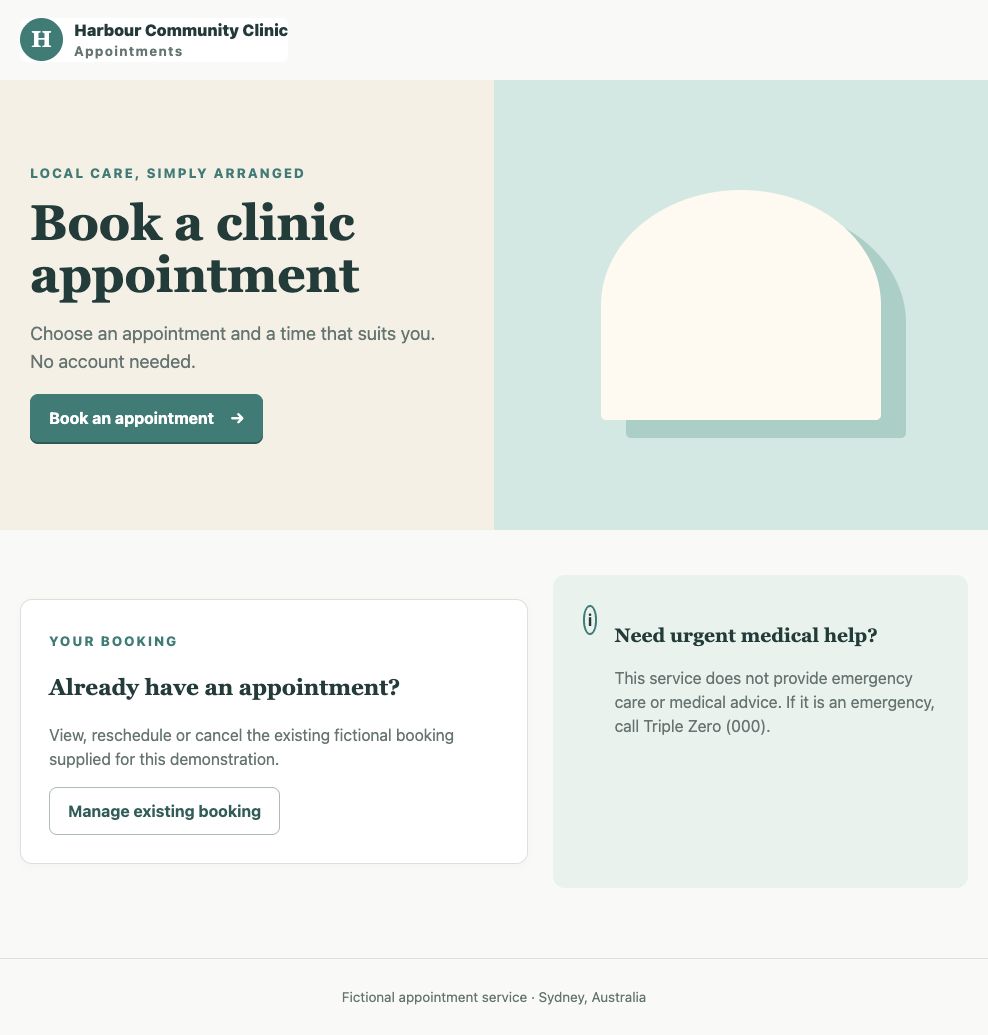
Each run started from the same neutral React starter and fictional clinic specification. These examples show the visual range across the three conditions.
Method
Three treatments, three recorded runs each
All nine interfaces were generated with Codex CLI 0.147.0 using gpt-5.6-sol at
medium reasoning effort and the default service tier. The CLI was authenticated through
a ChatGPT account. The model, client, system instructions and ordinary tools were fixed;
only the guidance condition changed.
Runs were isolated, internet access was disabled, the mock API was deterministic, and the browser clock and timezone were fixed. Each interface had to book, validate, recover, reschedule and cancel; work by keyboard; and remain usable at mobile width. We did not repair or selectively rerun model-produced defects.
Baseline
Specification only
Directed MCP
Prompted to retrieve and apply Human Standards through MCP
Frozen context
The same project received a static Human Standards reference packet
All three MCP runs actually used the server. They made 7, 5 and 11 completed retrieval calls respectively across search, standards and heuristics tools.
Automated evidence
The MCP condition led on both automated measures
Higher critical completion and lower serious accessibility counts are better. With three runs per condition, these medians describe this sample and do not estimate a general effect.
- Median critical completion
- 50% range 25–87.5%
- Median serious rule–state pairs
- 8 range 7–11
- Median critical completion
- 87.5% range 50–100%
- Median serious rule–state pairs
- 4 range 3–4
- Median critical completion
- 87.5% range 87.5–87.5%
- Median serious rule–state pairs
- 7 range 6–11
| Condition | Artifact | Run | Critical scenarios | Serious rule–state pairs | Affected nodes | Unreachable axe states |
|---|---|---|---|---|---|---|
| A | V006 | R002 | 4/8 | 7 | 16 | 3 states |
| A | V009 | R006 | 7/8 | 11 | 202 | None |
| A | V007 | R008 | 2/8 | 8 | 16 | 3 states |
| B | V004 | R001 | 8/8 | 4 | 15 | None |
| B | V003 | R004 | 7/8 | 3 | 13 | None |
| B | V002 | R009 | 4/8 | 4 | 8 | 3 states |
| C | V008 | R003 | 7/8 | 6 | 19 | None |
| C | V001 | R005 | 7/8 | 7 | 22 | None |
| C | V005 | R007 | 7/8 | 11 | 63 | None |
An unreachable state was reported as missing, never converted into a zero-violation accessibility pass. “Affected nodes” can be concentrated repetitions of the same rule; for example, V009’s 202 nodes should not be read as 202 distinct accessibility rules.
Coordinator walkthrough
Interaction problems appeared in all three conditions
The project coordinator viewed all nine artifacts while their condition labels were withheld and recorded qualitative observations. This was not the planned independent review and no rubric score was calculated.
Keyboard focus failed across conditions
Appointment and time cards repeatedly lacked usable keyboard focus. Some buttons and cards also lacked visible focus or hover states.
Visual polish did not predict task completion
V004 looked polished and passed all eight critical scenarios, but its radio cards were still difficult to use by keyboard. V007 looked coherent but completed only two critical scenarios.
Validation and transitions were often unclear
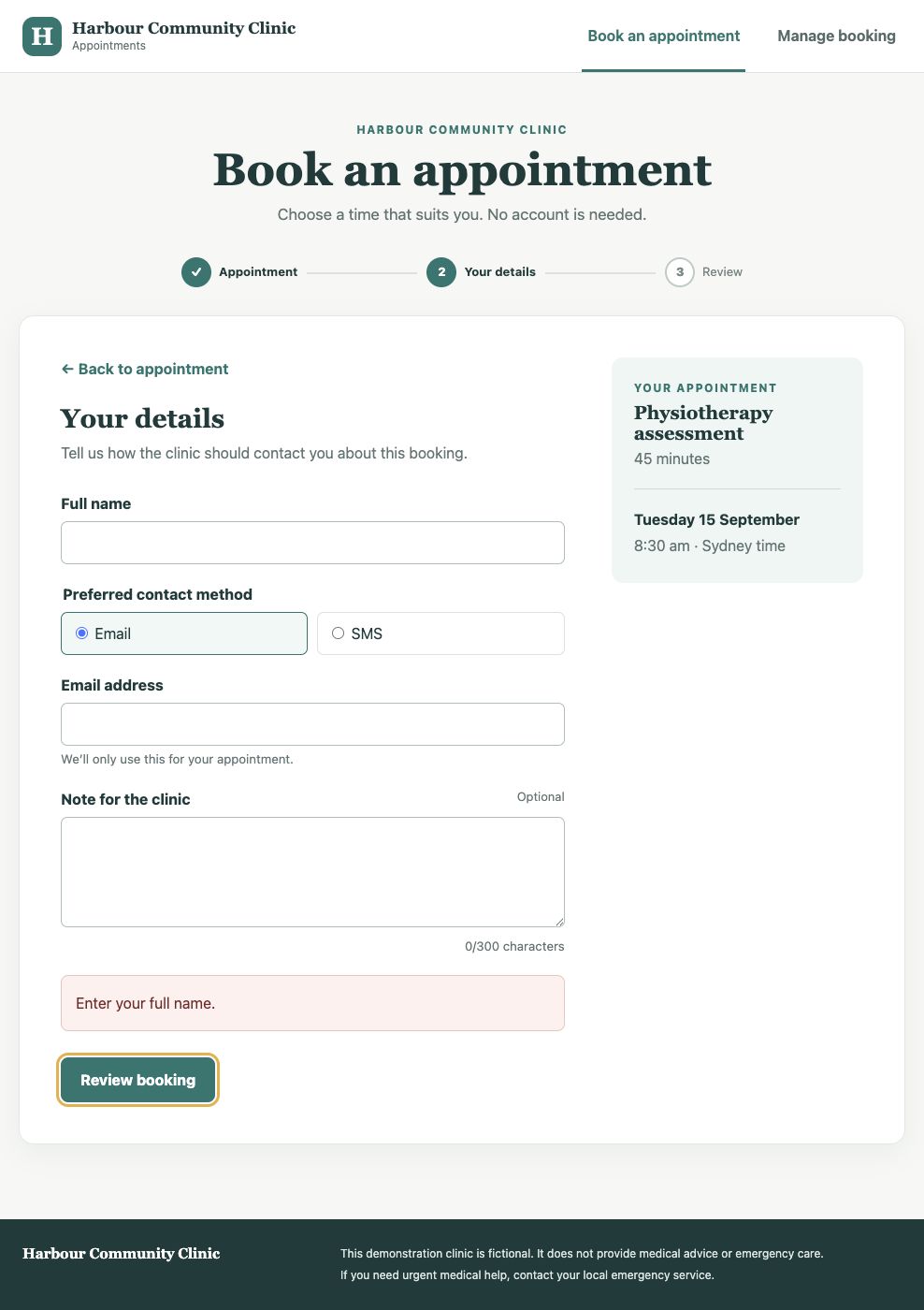
One baseline interface placed a missing-name error at the bottom of the form rather than beside the field. Another output failed to return the reader to the top when moving to review. One rescheduling path lacked a clear success state.
Several runs handled structure and state well
V003 retained entered data across backwards navigation and organised its confirmation well. V005’s home page was notably simple. V008 produced a streamlined confirmation. V009’s landing page and progress structure made the flow easy to understand.
Across all nine
Every run failed refresh safety and triggered serious accessibility findings
Every run built and typechecked, and the browser recorded no external requests. But all nine failed the non-critical refresh-safety scenario: a confirmed booking was lost on refresh.
Every run also produced at least three serious accessibility rule–state pairs. Colour contrast was the recurring automated rule; isolated outputs also produced a definition list or unnamed-dialog problem.
Protocol change
Why we stopped before independent review
The preregistered plan required two independent reviewers to score all nine opaque artifacts before the condition mapping was revealed. We stopped after the coordinator walkthrough, revealed the mapping and closed recruitment because the visible cross-condition problems made this pilot more useful as a development set than as a first human-rated benchmark.
What happens next
What we will change in Human Standards MCP
Inspect the evidence
Download the case data and frozen evidence
Each run identifier in the results table links to its frozen automated summary. Detailed functional, axe, focus and guardrail JSON files use the same directory and filename pattern. Screenshots show fictional data only.